Description
VocalForge – AI Vocal Remover, Karaoke Beat Maker & Track Separator
Product Description
You can download and try trial version here : Click here to download
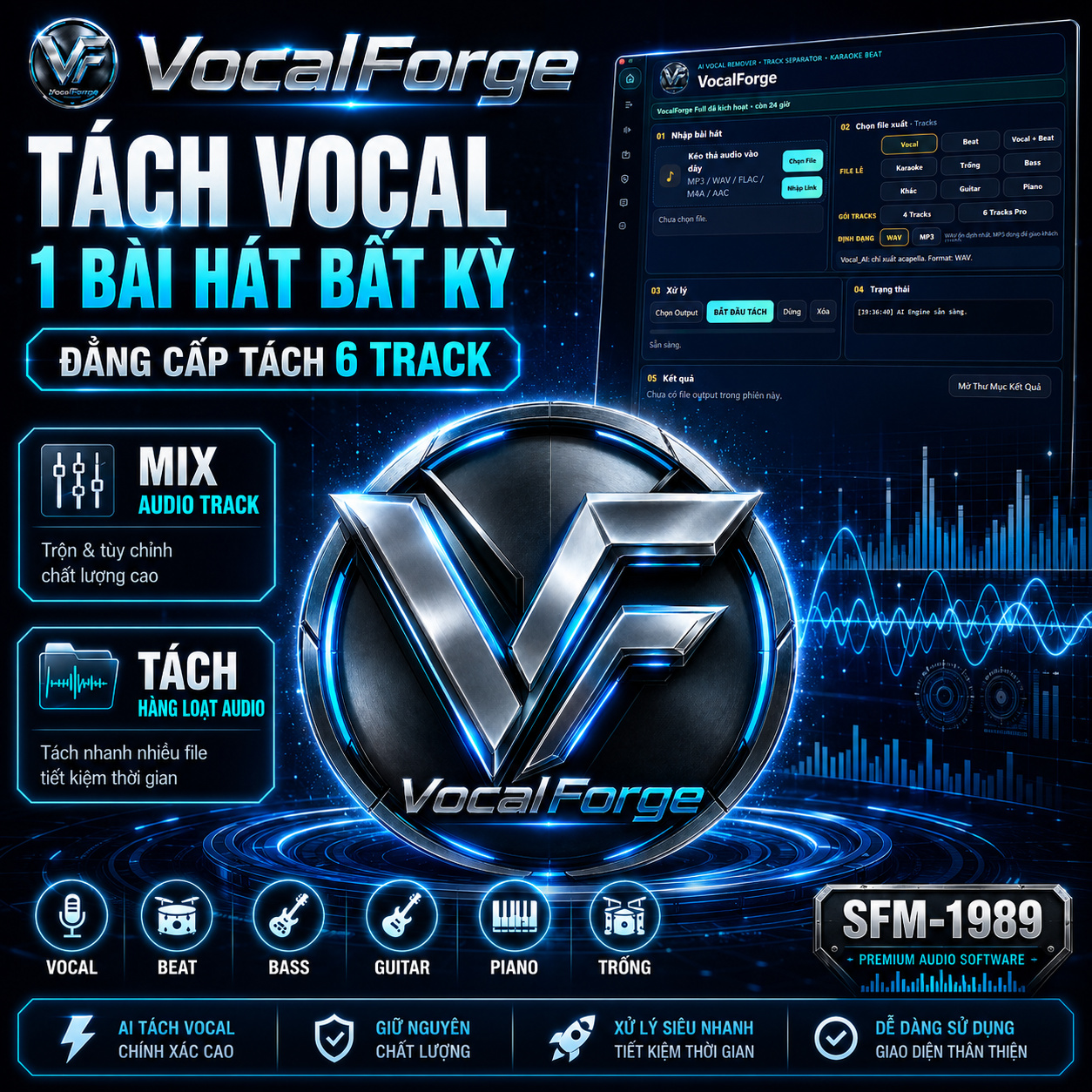
VocalForge is a professional AI-powered audio separation software designed for singers, musicians, DJs, karaoke creators, remix makers, music producers, keyboard players, and content creators.
With VocalForge, you can quickly separate a song into different audio tracks such as Vocal, Beat, Karaoke, Bass, Drums, Guitar, Piano, and more, depending on the selected separation mode. The software is built for users who need clean and fast audio separation for practice, remixing, karaoke preparation, backing tracks, live performance preparation, and music production.
VocalForge is simple to use, but powerful enough for serious audio work. Just import your audio file, choose the output mode, select the format, and start the separation process.
Main Features
- AI Vocal Remover
- Separate Vocal and Beat from any supported song
- Create karaoke-style instrumental tracks
- 4 Tracks separation mode
- 6 Tracks Pro separation mode
- Mix separated audio tracks inside the built-in Tracks Player
- Export Mix after adjusting tracks
- Supports common audio formats such as MP3, WAV, FLAC, M4A, and AAC
- WAV and MP3 export options
- Built-in license system
- Online activation by Device ID
- Free trial with 5 Vocal + Beat separation jobs
Free Trial
VocalForge includes a free trial for new users.
Each device receives:
5 free Vocal + Beat separation jobs
After the 5 free trial jobs are used, a Full License Key is required to continue using the software.
The trial is checked online by Device ID, so reinstalling the software or deleting local files will not reset the free trial.
Full License
The VocalForge Full License unlocks the complete software features for the active license period.
Full License includes:
- Vocal separation
- Beat separation
- Karaoke output
- 4 Tracks mode
- 6 Tracks Pro mode
- Tracks Player
- Export Mix
- Full access during the license period
License price:
Monthly: $1.99 / month
Yearly: $19.99 / year
The license is activated online and locked to the customer’s Device ID.
How to Buy
- Download and install VocalForge from this product page.
- After your payment is confirmed, we will send you a License Key.
- Enter the License Key inside VocalForge and click Activate.
Important: The License Key is locked to the Device ID you provide. Please make sure you send the correct Device ID from the computer where you want to use VocalForge.
How to Activate
After completing your payment, please follow the license key purchase instructions in the app and send your Device ID to us via email, Zalo, Viber, or WhatsApp. We will process your request and send your license key as quickly as possible.
- Open VocalForge.
- Click the License icon or open the License page.
- Paste your License Key into the License Key box.
- Click Activate.
- If the key is valid, VocalForge Full will be activated immediately.
- Restart the software if required.
After activation, VocalForge will show your license status, expiration date, package type, and Device ID.
How to Use VocalForge
- Open VocalForge.
- Click Choose File and select your audio file.
- Choose the separation mode you need:
- Vocal
- Beat
- Vocal + Beat
- Karaoke
- 4 Tracks
- 6 Tracks Pro
- Select the output format:
- WAV for high quality
- MP3 for smaller file size
- Choose the output folder.
- Click Start Separation.
- Wait for VocalForge to process the audio.
- After the job is complete, open the result folder.
- Use the built-in Tracks Player to listen, mute, solo, mix, and export your final audio.
Supported Use Cases
VocalForge is useful for:
- Making karaoke backing tracks
- Removing vocals from songs
- Extracting vocals for remixing
- Practicing singing or instruments
- Preparing backing tracks for live performance
- Separating music parts for learning
- Creating audio samples for music production
- Mixing separated tracks before export
Important Notes
- Internet connection is required for trial checking and license activation.
- Audio separation quality may vary depending on the original song quality and mix.
- For best results, use high-quality audio files.
- The license is locked to one Device ID unless stated otherwise.
- If you change your computer or reinstall Windows, please contact support.
- Please try the free trial first to make sure the software works well for your audio needs.
Support
If you need help with installation, activation, Device ID, or audio separation, please contact us with your order number and Device ID.
We will help you activate and use VocalForge correctly.
You can download and try trial version here : Click here to download
Watch video demo:
Related software: SFM Style Studio Lifetime License — Yamaha style editor for Windows and Mac.
Reviews
There are no reviews yet.